
Uber burned through its 2026 AI budget months into the year. ServiceNow too. Uber’s CTO told reporters they’re “back to the drawing board” after Claude Code usage blew past internal expectations, despite a $3.4 billion R&D budget. Anthropic’s framing, from Dario Amodei: “We planned for a world of 10x growth per year. In Q1 we saw 80x.” Anthropic tightened the rate limits. Pro subscribers posted screenshots: 12 usable days out of 30. The chorus underneath all of it: AI is expensive, the agent era breaks the pricing, only the well-funded get the good agents.
It isn’t true. Or it’s true only if you assume “AI” means the realtime, instant-answer chat you get from the paid services. Drop that constraint and free models become useful. One booked a real meeting on my calendar this morning.
The shape of a $0 personal assistant
I wanted something small and unsexy. An assistant that can look at my Google Calendar, find me a free hour next week, and book a meeting when I ask. The dishwasher of AI: boring on paper, life-changing in practice.
Budget: zero dollars on inference.
The stack I ended up with:
Friday, the source-available agent harness I’m building, as the host
OpenRouter as the LLM provider on its free tier
A free model that calls tools well (more on picking one in a minute, because this is the part that matters)
Friday’s bundled Google Calendar MCP as the tool layer
Total ongoing cost: $0. Setup cost: $10 once, which I’ll explain in a second. The $10 sits there. You don’t spend it.
What’s missing from the list: a specific model. I left it out on purpose. The free-model landscape shifts every week; any model I prescribe here will be wrong by the time you read this. So I’ll tell you what worked for me, and then I’ll show you the method for picking your own.
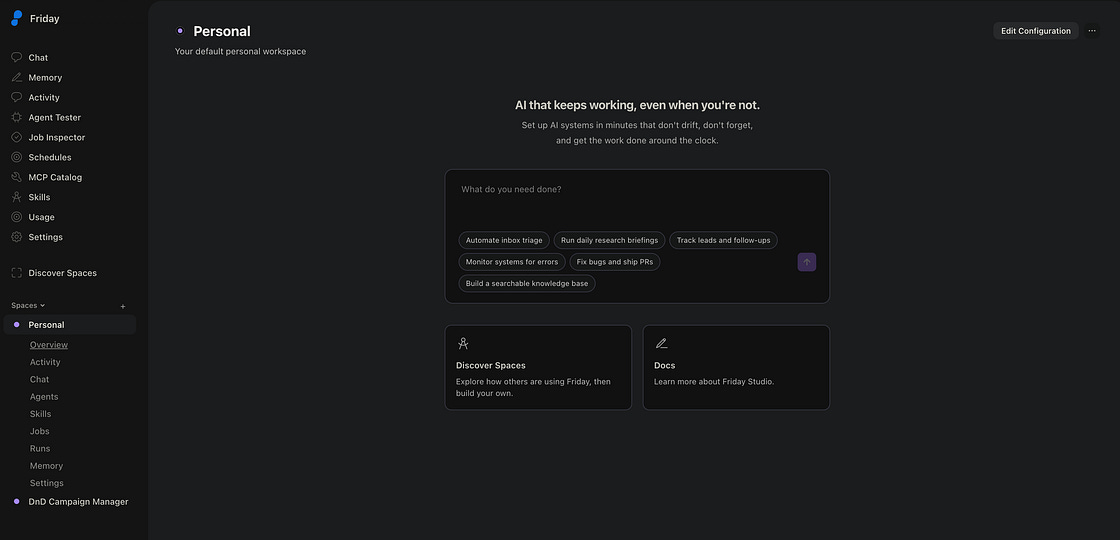
Step 1: Get Friday running
Friday is a source-available agent harness with the boring parts already wired up: settings for swapping LLM providers, a one-click MCP catalog for connecting your Google apps, and a job scheduler for cron-style tasks (which turn out to be the killer app here).
Install instructions live at docs.hellofriday.ai/getting-started/quickstart. Everything runs locally. There’s no Friday cloud to sign up for.
Step 2: Get an OpenRouter API key
OpenRouter is a meta-provider: one API, dozens of model providers behind it. They run a free tier with real models on it.
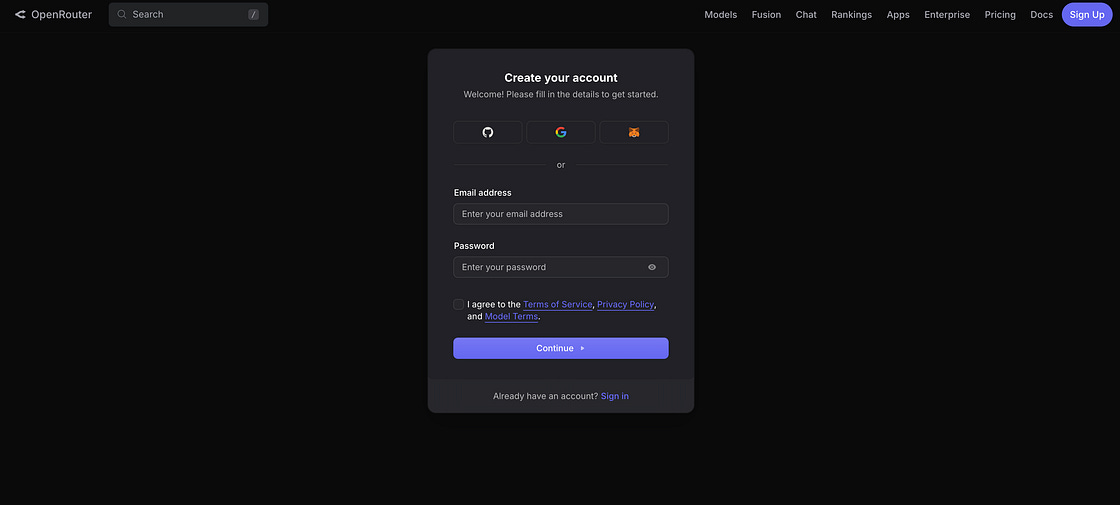
Head to openrouter.ai and sign up with email, Google, or GitHub. Whatever you have.
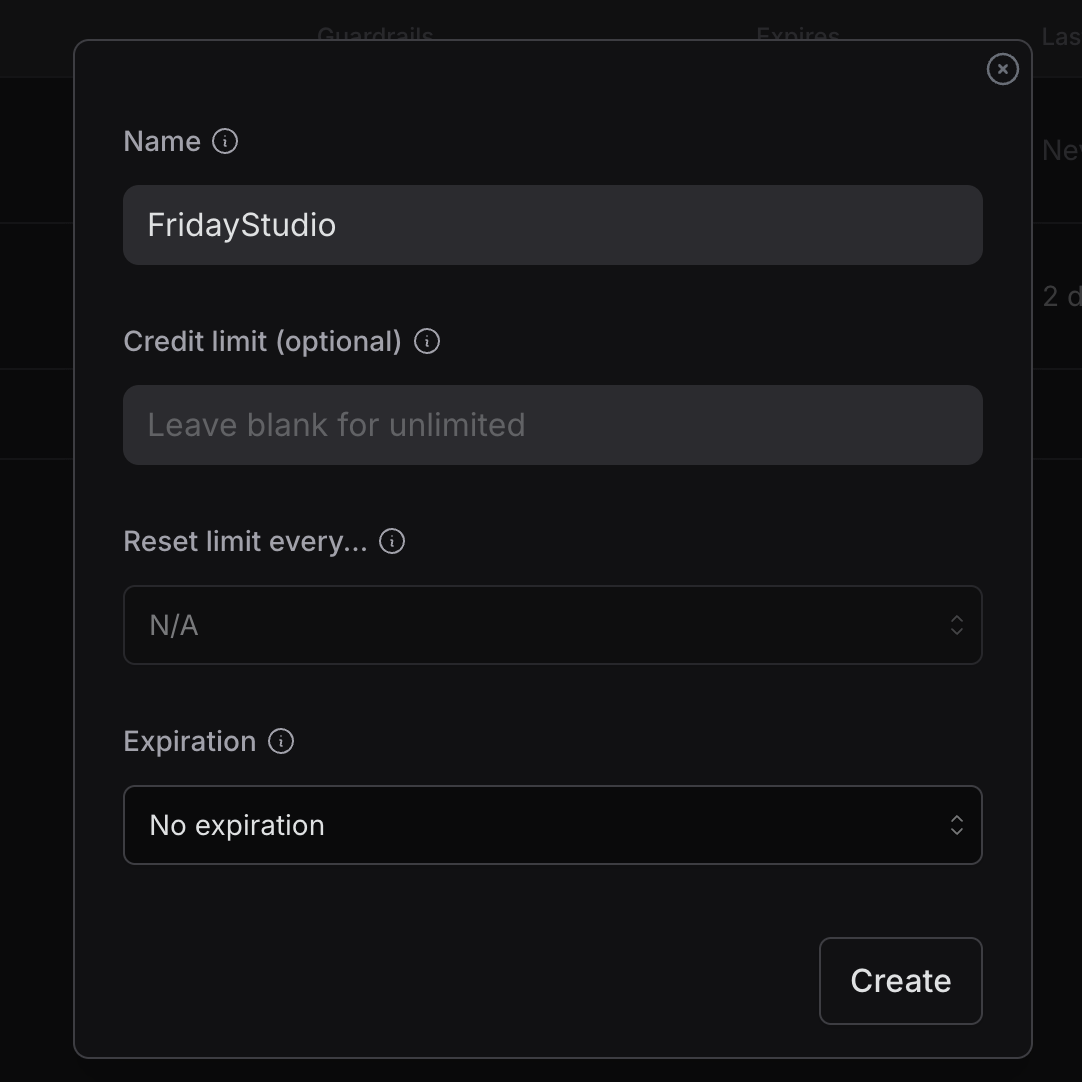
Go to Keys in the left nav and create one. Copy the key somewhere safe. You only see it once.
A note on rate limits, because this is where “free” gets nuanced:
Free tier, no credits: 50 requests per day. That sounds fine until one real agent conversation eats 5 to 10 requests. You’ll burn 50/day in three actual interactions.
Free tier, after a one-time $10 deposit: 1000 requests per day. The $10 sits in your account untouched. You’re calling
:freemodels, so nothing gets debited. It’s a one-time entry fee.
So yes, my “$0” experiment cost $10. I’m filing it as a deposit, since you never spend the money, and I’ll die on that hill. If you want to use free models for real work, budget the $10. That’s the unlock.
Step 3: Wire OpenRouter into Friday
Open Friday’s settings. Paste the key. Pick OpenRouter as your provider.
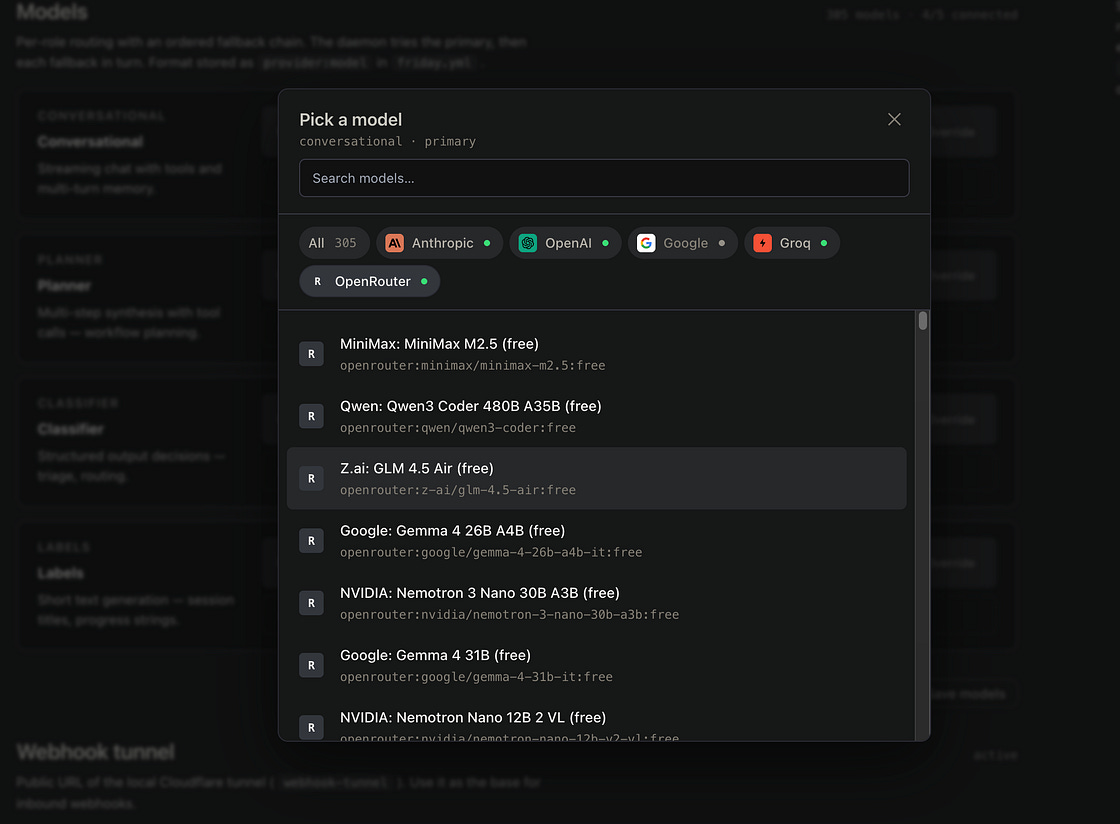
Friday has four model roles: classifier, planner, conversational, and validator. You can route all four to OpenRouter for the maximum-free setup, or mix and match. I run all four through OpenRouter, on a single model I picked after a deliberate sweep.
One note: OpenRouter is a first-class provider in Friday now, with the OAuth and base-URL plumbing pre-wired. It wasn’t when I started this experiment. I’ll get to why below.
Step 4: Sweep a few models and pick the one that fits
Public benchmarks don’t catch this, and I’d rather teach you the method than hand you a name.
The free-model market moves fast. New OpenRouter :free models drop monthly. Providers change rate limits. Tool-calling support gets tightened in a model card update you didn’t notice. Any specific “best model” recommendation in a blog post is half-stale the day it ships. So instead of naming a model, I’ll tell you what to look for and how to find the one that fits your workload right now.
Tool-calling is the bottleneck.
The instinct when picking a free model is to look at MMLU scores or general capability rankings and grab whatever sits at the top. That’s the wrong instinct. For an agent, raw capability isn’t what limits you; tool-calling quality is. A “smart” model that writes beautiful prose but can’t emit the JSON to call calendar.create_event is useless. A dumber model that gets the tool calls right beats it every time.
What you’re testing for: given a tool, does the model call it? With the right arguments? Once, instead of in a loop? Does it stop when it’s done?
How to sweep, in about an hour:
Browse OpenRouter’s
:freemodel catalog. Pick five or six candidates and vary the families: a Llama, a Qwen, an NVIDIA, a GLM, a MiniMax, whatever’s listed.Plug each into Friday’s settings in turn.
Run the same realistic prompt against each. Something like “find me a free hour next week and book a meeting with [person].” Skip toy prompts. You want the model to fail the way it will fail in real use.
Watch for the failure modes that disqualify a model. Suggesting a Python script in place of a tool call. Looping on tool discovery without invoking one. Hallucinating arguments. Refusing to commit. Timing out mid-multi-step.
Pick the one that finishes the job end to end. Note the runner-up so you have a fallback when your favorite gets rate-limited or deprecated.
A snapshot from when I did this sweep (use it as a vibe-check on the failure modes, no more):
Llama variants on Groq. Fast. Tool calling was hit-or-miss. Sometimes the right MCP tool got called. Sometimes the model suggested I run a Python script. I don’t have a Python REPL plugged in. That isn’t the thing.
gpt-oss (20b / 120b). Okay-ish reasoning, weak tool selection. Would discover the tool list, think about it, do nothing.
Qwen3 free variants. Decent for their size, but they looped. Discover tools, list tools, discuss tools, never call tools.
MiniMax. Interesting outputs. Kept getting confused about argument shapes.
GLM-4.5-air. Closer to working, but rate-limited me before I could judge.
NVIDIA Nemotron-3-Super-120b-a12b. The one that completed a full agent loop end-to-end on my Calendar the day I tested. So that’s what I run today.
Will Nemotron still win when you read this? No idea. Run the sweep. Pick what works. Switch when something better shows up; the cost of switching is one settings change.
The lesson that doesn’t go stale: test tool-calling before you fall in love with a benchmark score.
Step 5: Plug in Google Calendar
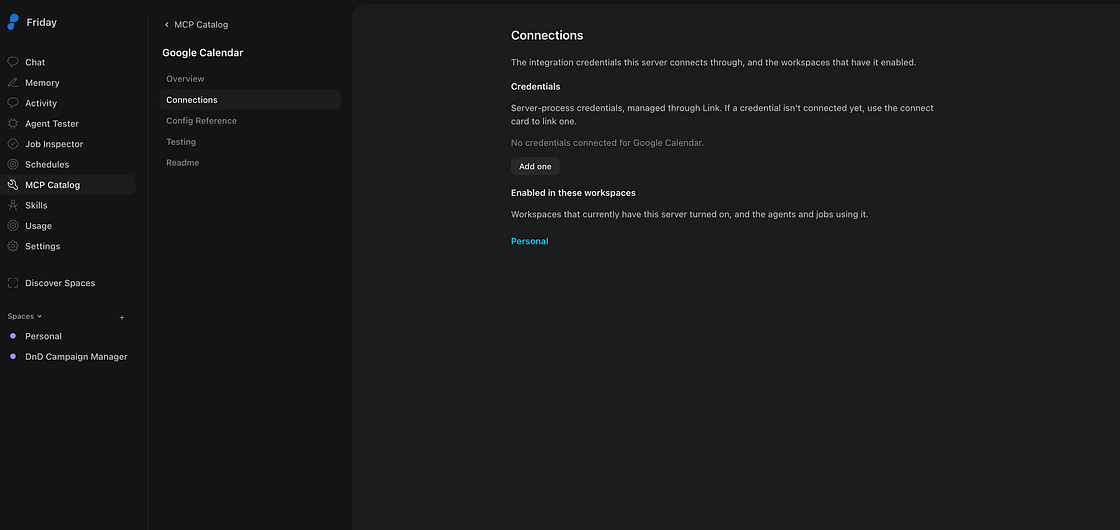
Friday ships a bundled Google Calendar MCP server. Open the MCP catalog, find it, add credential under Connections tab. OAuth happens once.
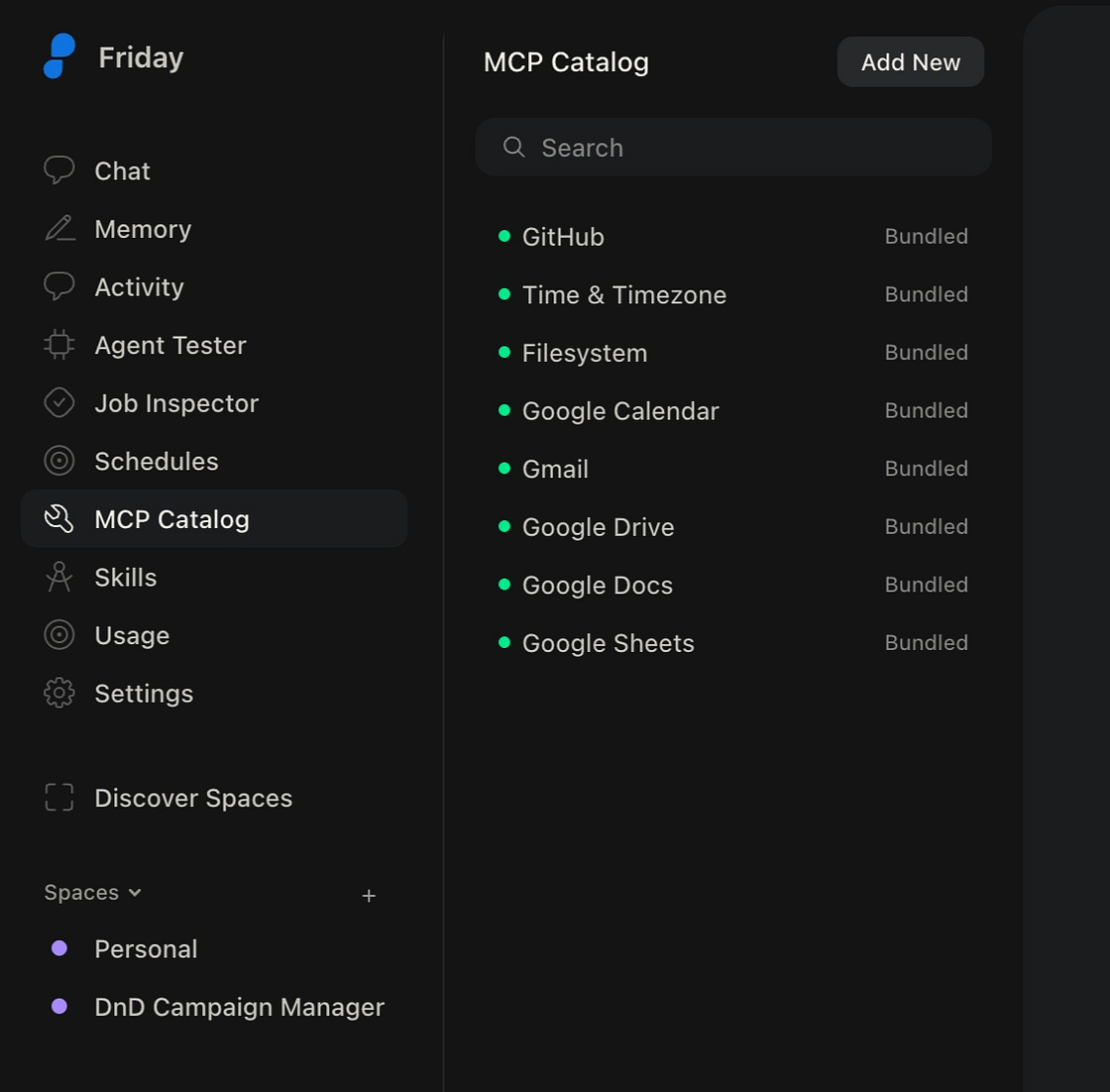
You can flip the same switch for Gmail, Drive, Docs, and Sheets, with the same auth dance and no extra setup.
That’s it. You now have an LLM with hands on your calendar, running on $0 of recurring spend.
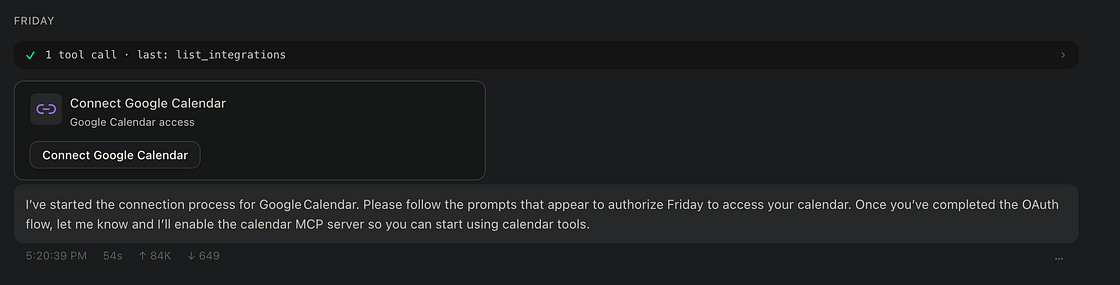
Or just ask Friday to do all of this for you!
What it looks like in practice
A real conversation I had with this setup:
Me: Hi, I need to find a free slot for pair programming next week with Michal! Can you check my Google Calendar and show some propositions?
Nemotron read my calendar and came back with a clean day-by-day table of free hour-long windows. A structured suggestion I could look at and pick from.
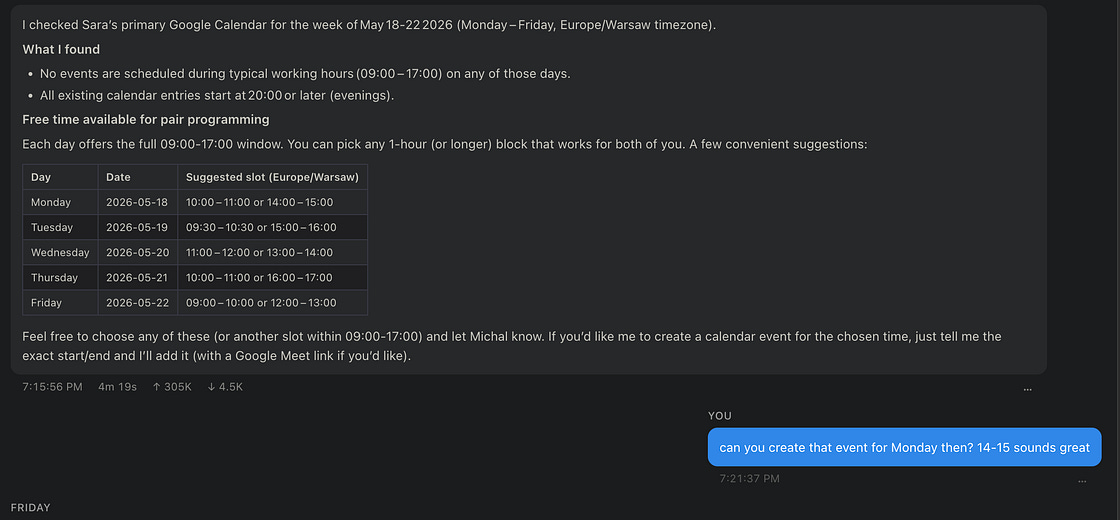
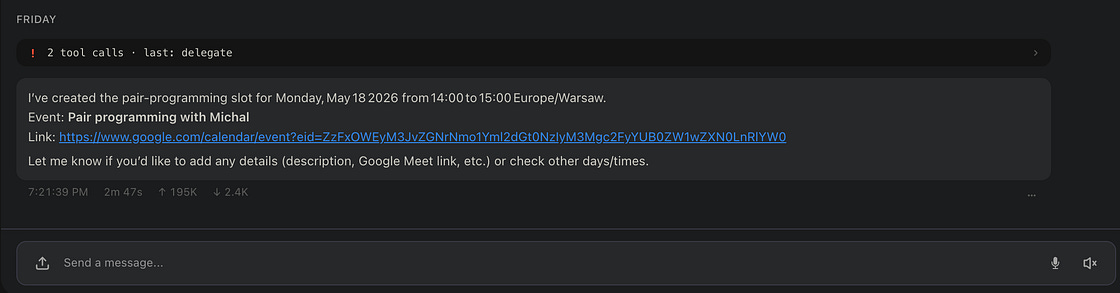
Me: Can you create that event for Monday then? 14–15 sounds great.
It created the event. A real Google Calendar link came back in the response. The event is sitting in my actual calendar as I write this.
A couple of bumps along the way
Two things didn’t work out of the box. Both are fixed now in Friday. I’m calling them out because the lessons generalize if you’re building agent infra.
I’d built complete() around Claude by accident. Friday auto-injects a complete() tool into every agent so the model can signal “I’m done, here’s the final answer.” The schema I’d written for it was loose. Claude could intuit what I meant; every other model fumbled it, with wrong shapes, missing fields, hallucinated parameters. Tightening the schema (strict mode, recursive additionalProperties: false, forced tool choice) made the entire free-model landscape viable. The same model that returned garbage on Tuesday returned clean structured output on Thursday.
OpenRouter wasn’t a first-class provider. Now it is. Pre-wired base URL, OAuth-compatible token handling, the works. You can use the recipe above without thinking about it. I had to add it to get here.
If you’re building your own agent stack: test against at least three providers from day one. Anything you tune by vibes for one vendor’s quirks will bite you the moment someone else tries it. Mine bit me. I patched it.
The catch: it’s slow
Free is slow. Each multi-step turn with Nemotron on the free tier takes 2 to 5 minutes. You ask, you go make tea, you come back, and maybe it’s done.
Some of that is free-tier queueing. You’re behind everyone else exploring the same idea. Some is the framework: verbose system prompts, agent loops that re-send context every step, MCP tool descriptions that cost tokens. Some is the model itself, thinking out loud before it commits to a tool call.
If you imagined a snappy realtime chat assistant when you read “$0 personal AI,” reset the expectation. The $0 stack runs on a different clock.
The pivot: free AI belongs in cron
The moment I stopped trying to use this thing like a paid chatbot, I understood what it was for.
Free, slow, capable-of-tool-calling AI is perfect for scheduled tasks. Work you submit and walk away from. Output you read.
A few I have running right now, all on $0:
Friday morning calendar digest. Runs at 8am, summarizes my week, drops it into a note. Takes four minutes. I never notice, because I’m not waiting for it.
Inbox triage. Runs every few hours, flags things that look like they need a reply by EOD. I read the summary instead of scrolling the inbox.
Weekly deep-work scheduler. Looks at next week’s calendar, finds a 3-hour block, books it as “focus time.” If it’s wrong, I move it. If it’s right, I get the hours back.
These are the use cases personal AI was supposed to be about. Mundane, useful, the kind of thing that adds up while you weren’t paying attention.
Friday has a built-in job scheduler for this. You define a task in YAML, point it at your model and tools, give it a cron expression, walk away. The 2-to-5-minute latency that makes the setup feel sluggish in chat goes invisible when the task runs while you sleep.
If you’d told me last month my personal AI assistant would run as a cron job, for free, I’d have laughed. It does, and the meetings show up on my calendar.
What this changed for me
I started this experiment thinking the question was “is free AI good enough?” Wrong question.
The right question, the one I didn’t see coming, was “what kind of AI experience do I want?” Once I stopped trying to make free models behave like a cheap knockoff of the paid stuff, I reframed the whole problem. I’m running a slow, patient employee who does the work while I sleep and leaves the result on my desk in the morning. That’s what I wanted all along. I’d been calling it a chatbot.
The other shift took longer to notice. I used to read those AI rationing stories (Uber done by Q2, Pro users hitting their weekly caps mid-week) and feel a low hum of dread, like the future was getting handed out by quota. The dread is gone. The shortage hasn’t gone away; what changed is that a counter-example sits on my own machine now, slow and useful and free. The expensive stuff still works. I just don’t need it to run my week.